

Creation Networks
AV Experts
Nationwide • Since 2006
- AV Sales
- Design
- Integration
- Support
Professional AV Equipment Sales • Nationwide AV Design, Integration & Support | Creation Networks
Creation Networks — nationwide AV experts since 2006. Professional audio-visual equipment sales, AV system design, integration, and support for video conferencing, control systems, audio, and displays.
-
43% off
Samsung
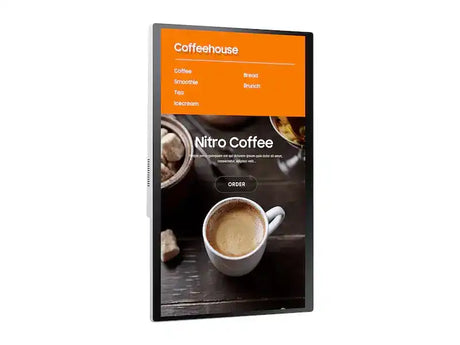
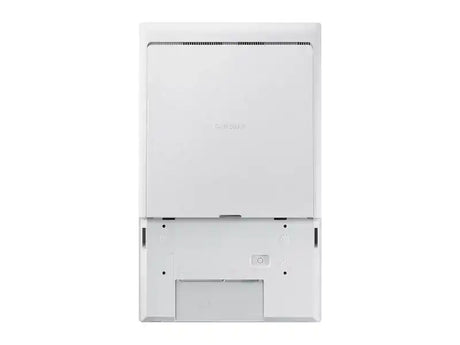
Samsung KM24A Tizen Kiosk Touch Display (Screen only)Regular price $1,077.00 Sale price $614.00Unit price /Unavailable -
-
20% offContact Sales
Samsung
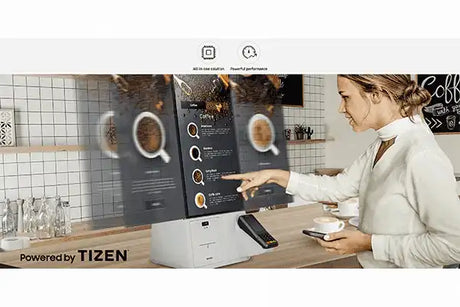
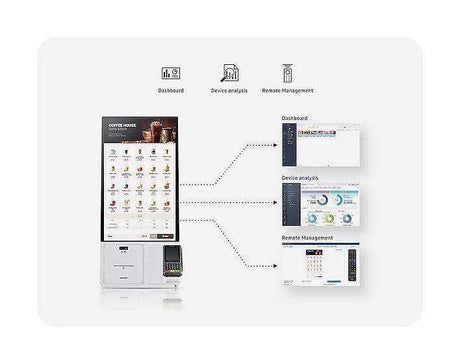
Samsung KM24C-3 24" Full HD Touchscreen All-in-One Kiosk Display withRegular price $1,845.00 Sale price $1,480.00Unit price /Unavailable -
-
19% off
Samsung
Samsung STN-KM24AXZA Floor Stand for 24in KM24A KioskRegular price $539.00 Sale price $438.00Unit price /Unavailable -
-
8% off
Samsung
Samsung WM75B - Flip Pro 75" 4K UHD Interactive Display for EducationRegular price $4,000.00 Sale price $3,700.00Unit price /Unavailable -
-
19% offContact Sales
Samsung
Samsung WM55B - Flip Pro 55" 4K UHD Interactive Display for EducationRegular price $2,706.00 Sale price $2,199.00Unit price /Unavailable -
-

Samsung
Samsung WA65D 65" WAD Series Interactive DisplayRegular price $2,450.00Unit price /Unavailable -
24% off
Samsung
Samsung WA86F 86" Interactive Display WAF Series (TAA)Regular price $4,650.00 Sale price $3,550.00Unit price /Unavailable -
-
25% off
Samsung
Samsung QM55B-T Series 55" Class 4K UHD Commercial MonitorRegular price $4,410.00 Sale price $3,290.00Unit price /Unavailable -
-

Samsung
Samsung P-LM-PNXX25O 5 Year Pro Av Onsite Exchange Repair KM24A KioskRegular price $121.30Unit price /Unavailable -
13% off
Samsung
Samsung KM24A-P Kiosk Connection Box (only)Regular price $1,385.00 Sale price $1,200.00Unit price /Unavailable -
-
27% off
Samsung
Samsung Flip 75 – 75-Inch 4K Collaborative Whiteboard Display, 450 nitRegular price $4,399.00 Sale price $3,199.00Unit price /Unavailable -
-
29% off
Samsung
Samsung Flip 65 – 65-Inch 4K Collaborative Whiteboard Display, 450 nitRegular price $3,499.00 Sale price $2,499.00Unit price /Unavailable -
-
30% off
Samsung
Samsung Flip 55 – 55-Inch 4K Collaborative Whiteboard Display, 450 nitRegular price $2,999.00 Sale price $2,099.00Unit price /Unavailable -
-
28% off
Samsung
Samsung Flip 85 – 85-Inch 4K Collaborative Whiteboard Display, 450 nitRegular price $5,999.00 Sale price $4,299.00Unit price /Unavailable -
-
19% off
Samsung
Samsung WM85B - Flip Pro 85" 4K UHD Interactive Display for EducationRegular price $5,931.00 Sale price $4,819.00Unit price /Unavailable -




Frequently Asked Questions — Samsung Professional Displays & Video Walls
Get comprehensive insights from our display specialists on Samsung’s industry-leading commercial displays, The Wall Micro LED video walls, SMART Signage, interactive solutions, and high-brightness displays designed for corporate, education, retail, control rooms, and digital signage applications.
Why choose Samsung professional displays?
Samsung is a global leader in commercial display technology, offering unmatched picture quality, exceptional brightness, ultra-narrow bezels, long operational lifespans, and intelligent features like Tizen OS and MagicINFO content management. Their displays are engineered for 24/7 operation in demanding environments.
What is Samsung The Wall?
The Wall is Samsung’s revolutionary Micro LED video wall platform. It delivers perfect black levels, incredible brightness, seamless modular design, and stunning visual impact — making it ideal for large-scale installations in lobbies, control rooms, broadcast studios, and retail experiences.
What Samsung display series are most popular?
- The Wall (Micro LED) — Premium modular video walls
- SMART Signage (Q Series & I Series) — High-brightness commercial displays
- Interactive Displays — Touch-enabled solutions for education and collaboration
- Outdoor & High-Brightness Displays — Designed for bright environments and 24/7 use
Do Samsung displays support 24/7 operation?
Yes. Samsung professional displays are built for continuous 24/7 operation with robust thermal management, commercial-grade components, and extended warranties designed for mission-critical environments.
What is MagicINFO?
MagicINFO is Samsung’s powerful content management platform that allows centralized control, scheduling, and monitoring of displays across multiple locations — ideal for digital signage networks and corporate communications.
Can Samsung displays integrate with Crestron, Q-SYS, or AMX?
Yes. Samsung displays support RS-232, LAN, and network control, making them highly compatible with major control systems including Crestron, Q-SYS, Extron, and AMX.
Where are Samsung displays commonly used?
Corporate headquarters, conference rooms, university lecture halls, airports, retail stores, stadiums, control rooms, museums, and hospitality venues.
Does Creation Networks provide Samsung display solutions?
Yes. We are an authorized Samsung partner offering expert consultation, system design, video wall configuration, installation, and ongoing support for all Samsung professional display products.
How can I get help choosing the right Samsung display?
Contact our display specialists at 1-888-230-3661 for personalized recommendations, video wall design, content strategy, and competitive project quotes.
Nationwide Audiovisual Services, Design, Installation & Support
Creation Networks is a trusted nationwide partner for complete audiovisual solutions — delivering expert AV system sales, professional design, programming, installation, and ongoing support to organizations across the United States.
From Microsoft Teams Rooms and enterprise video conferencing to LED video walls, live streaming production, and hybrid collaboration systems, we provide end-to-end AV integration using premium, certified technology from industry leaders including Crestron, Q-SYS, Shure, Extron, and Absen.
Whether you operate a single location or manage facilities nationwide, Creation Networks ensures your AV systems are designed for reliability, scalability, security, and long-term performance — helping your organization communicate more effectively and operate at peak efficiency.
CREATION NETWORKS — A PARTNER YOU CAN TRUST SINCE 2006


