
AV INDUSTRY INSIGHTS

Audio Visual Technology News —
Expert AV Industry Updates

Stay informed with the latest audio visual technology news, trends, product updates, and best practices from Creation Networks. Our blog features in-depth articles on Microsoft Teams Rooms, AV-over-IP, hybrid workspace design, control systems, video conferencing, and emerging AV technologies — written by CTS-D certified engineers with real-world integration experience.

What You’ll Learn
📌
TrendsHybrid Work Solutions
🛠️
GuidesDesign & Installation
🔬
ReviewsLatest AV Hardware
📊
Best PracticesMicrosoft

Biamp Hub supports wireless collaboration with room USB devices

Biamp Hub supports  wireless collaboration with room USB devices

Biamp Hub supports wireless collaboration with USB room devices

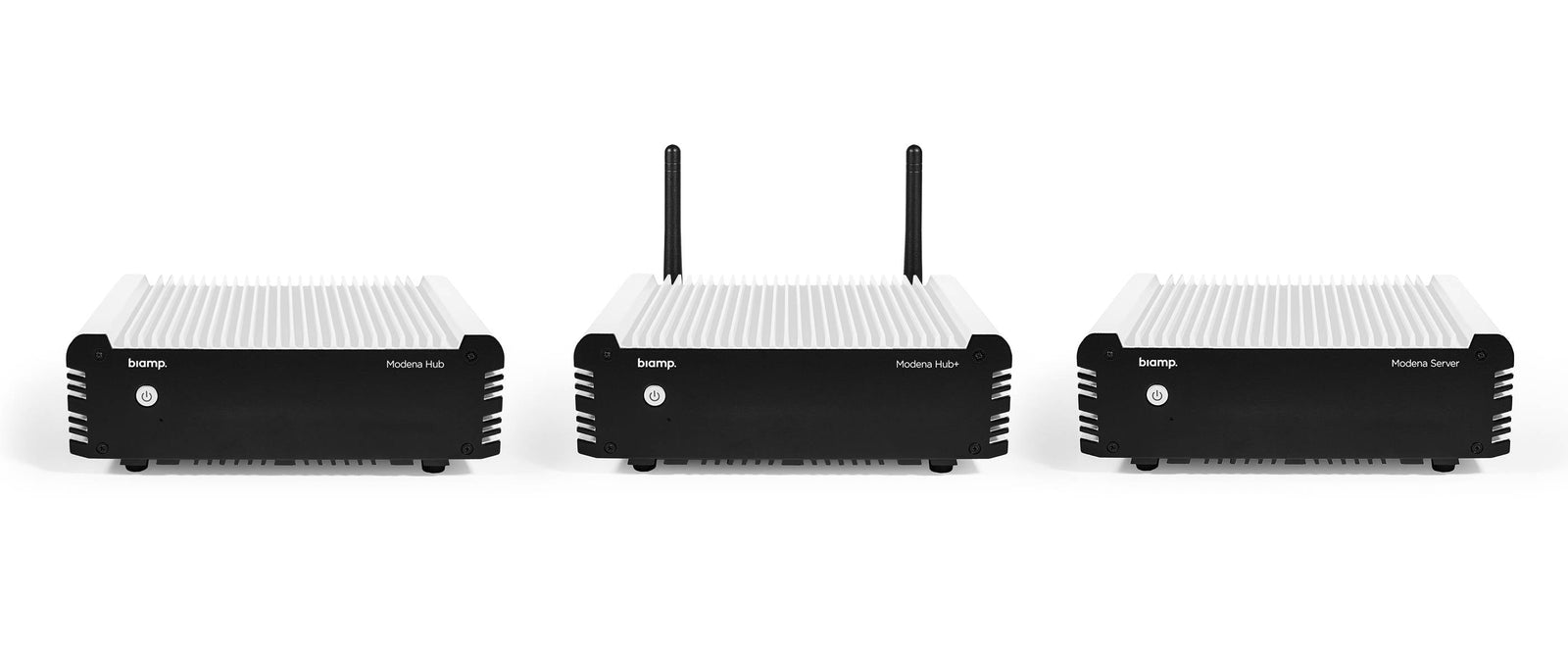
Biamp Modena Hub wireless presentation system

The Biamp Modena Hub + is a wireless collaboration hub that supports local room USB devices. Ideal for BYOD and BYOC spaces, the Modena Hub + allows participants to connect to meeting room AV equipment and use the rooms USB accessories wirelessly as well as enabling any participant to wirelessly receive the meeting content during the video conferencing session. The Modena Hub supports most UC software and hardware devices, while enabling users to utilize wireless collaboration to share content with other meeting participants. Modena Hub connects to room peripherals via USB and HDMI. It can support multiple USB devices via a standard USB hub or by connecting a Devio SCR-20 or SCR-25.

Testing the Modena Hub +

Our team of AV engineers have recently tested the Modena Hub + at our AV Staging facility in Concord, CA and put the device through the paces. The capability of the Modena Hub + has proven to be a Winner with us and easy to connect USB devices in the room. Testing also has been completed using different configurations with utilizing the Devio SCR-20 and the Devio SCR-25.

Features & Capabilities

  • Enjoy a client-free wireless collaboration experience with your web browser.
  • Meet everywhere: With Modena Hub+, any place is a meeting room.
  • Enable display to receive content by connecting a computer with the web or software client, or an Android dongle; or run the Android TV app directly on a smart TV.
  • All personal devices can send and receive presentations directly to the screen of participants' laptops, tablets, or mobile devices.
  • Configure Modena Hub+ for large teaching spaces and give everyone a perfect view using Auditorium mode, for up to 150 users.
  • IT administrators have quick access to the wireless collaboration units installed in an enterprise via a powerful management web interface.

SUBSCRIBE TO OUR NEWSLETTER

Recieve our latest weekly releases, offers, guides and more.

Value is required
Thank you!

Stay Updated!

Be the first to get exclusive deals, industry insights, and company updates!

RECENT POSTS
Conference room with a large screen and seating arrangement.

Enhancing Collaboration with Modern Meeting Boards in AV-Integrated Spaces

Eric Benson & Creation Networks at InfoComm 2026: Championing Q-SYS RoomSuite Bundles and CreationCare Remote Monitoring for Reliable Enterprise AV

Eric Benson & Creation Networks at InfoComm 2026: Championing Q-SYS RoomSuite Bundles and CreationCare Remote Monitoring for Reliable Enterprise AV

Video Bar Shootout: Logitech Rally Bar vs. Poly Studio X Series vs. Yealink MeetingBar for AV Purchasers

Video Bar Shootout: Logitech Rally Bar vs. Poly Studio X Series vs. Yealink MeetingBar for AV Purchasers

Q-SYS RoomSuite Modular System: Fast, Standardized AV Deployment for Medium to Large Collaboration Spaces

Q-SYS RoomSuite Modular System: Fast, Standardized AV Deployment for Medium to Large Collaboration Spaces

Infocomm 2023 event banner with Las Vegas skyline background.

Why Creation Networks, Leading AV Integrator, Is Heading to InfoComm 2026 – And Why You Should Care

Commercial Audio Solutions

Digital Signage Cost: A Complete Total Cost of Ownership Guide (2026)